
zCAD
Browser-based CAD platform for generating editable parts and assemblies, refining parametric models, and producing engineering drawings.


Product Overview
What is zCAD?
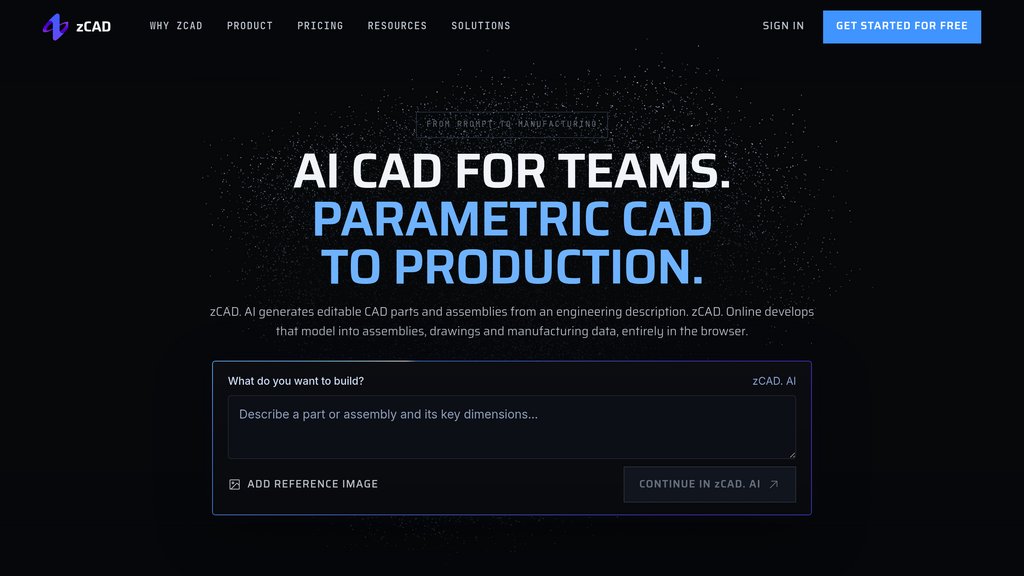
zCAD connects CAD generation with browser-based engineering workflows. zCAD. AI turns text descriptions or reference images into editable parametric parts and assemblies with dimensions, constraints, and mates. zCAD. Online provides direct modeling, engineering drawings, analysis, and team collaboration. Models move between the two products without export or import, allowing engineers to develop generated designs within the same platform.
Key Features
Text and Image to CAD
Generate editable parametric parts and assemblies from engineering descriptions or reference images, including dimensions, geometric constraints, and assembly mates.
Browser-Based Parametric Modeling
Create and modify sketches, solids, surfaces, sheet metal, and welded structures directly in the browser.
Assembly Design and Validation
Build multi-level assemblies with mechanical mates, interference detection, bills of materials, and motion simulation.
Engineering Documentation
Produce associative 2D drawings with dimensions, geometric tolerances, surface finishes, hole tables, and assembly balloons.
Connected CAD Workflow
Continue generated models in zCAD. Online without file conversion, and exchange engineering data through formats including STEP and Parasolid.
Team Collaboration
Coordinate design work through real-time co-editing, version history, project permissions, and online reviews.
Use Cases
- Hardware Mounting Design : Create brackets and adapters around existing hole patterns, mounting interfaces, and clearance requirements.
- Fixture Development : Generate locating blocks and clamps, then refine their dimensions and positions to match workshop equipment.
- Mechanical Assembly Engineering : Develop machine assemblies and welded frames, check interference, and prepare drawings and bills of materials.
- Functional Prototyping : Design parts around existing hardware and export STEP for further CAD work or STL for 3D printing.
- Collaborative Design Reviews : Review shared models, track revisions, restore earlier versions, and control supplier access to project data.
FAQs
zCAD Alternatives

Maket AI
Generative AI platform for residential planning that automates floorplan creation, 3D visualization, and design exploration.

Adam
AI mechanical engineer agent that performs CAD edits, BOM management, sourcing, and documentation directly in Onshape, Fusion, and SolidWorks.

Backflip AI
AI-powered 3D design platform that transforms text, images, or sketches into high-quality 3D printable models, accelerating hardware innovation.

gNucleus AI
Generative AI-powered platform that transforms text, images, and data into fully editable 3D CAD models across multiple formats.

Hi3D
All-in-one 3D maker platform converting images to print-ready models with automated mesh repair, splitting, and slicer integration.

PromeAI
AI-powered design platform transforming text and sketches into high-quality images, videos, and 3D models with extensive style customization.

AITwo
AI-powered design platform for interior, exterior, and architectural visualization with advanced sketch-to-realistic rendering technology.

Style3D
Comprehensive 3D fashion design platform that converts sketches and prompts into production-ready virtual garments with fabric simulation and virtual try-on capabilities.