
FurniMesh
Furniture-focused platform for turning product photos and 3D screenshots into usable 3D assets and renders.
Community:


Product Overview
What is FurniMesh?
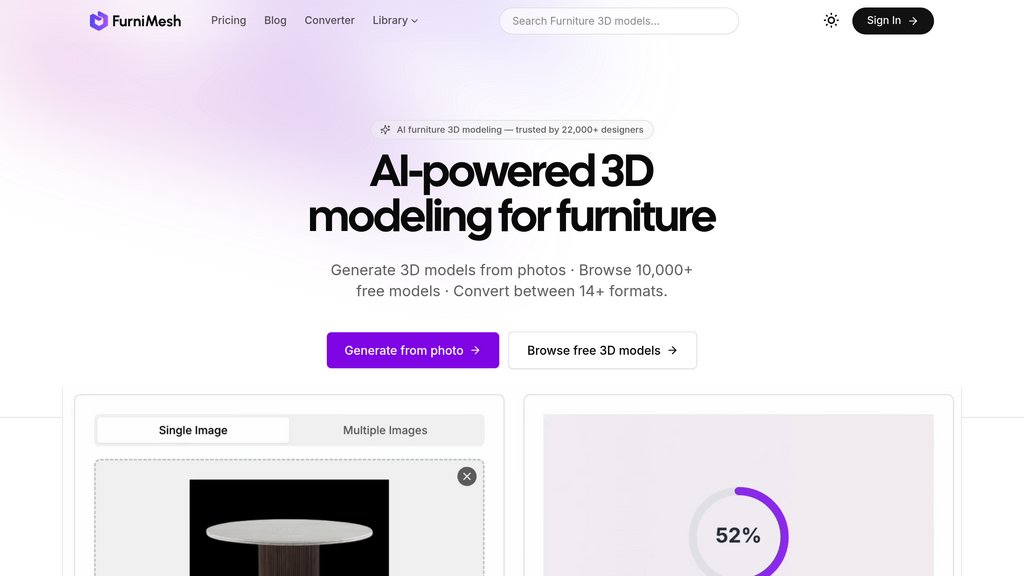
FurniMesh helps furniture professionals create textured 3D models from product photos without manual modeling. Users can export models in native GLB, OBJ, SKP, and BLEND formats, convert files for other workflows, browse a commercial-use furniture library, and embed interactive 3D and AR viewers on websites. It also turns viewport screenshots from common 3D software into polished photorealistic renders.
Key Features
Photo-to-3D Generation
Converts a single furniture image into a textured 3D mesh by handling background removal, depth estimation, geometry creation, and texture baking automatically.
Furniture-Specific Modeling
Optimized for furniture categories such as chairs, sofas, tables, beds, lamps, cabinets, and modular pieces.
Native 3D Exports
Exports generated assets directly in GLB, OBJ, SKP, and BLEND formats for use in design, visualization, and real-time 3D workflows.
3D File Conversion
Converts models across additional formats, including FBX, STL, GLTF, IFC, USDZ, and DAE, to fit different software pipelines.
Web Viewer and AR
Provides embeddable interactive 3D viewers that let website visitors inspect furniture models and place them in their space through mobile AR.
Photorealistic Rendering
Transforms screenshots from tools such as SketchUp, Blender, Revit, Rhino, and 3ds Max into client-ready product, interior, or exterior renders.
Use Cases
- E-commerce Product Visualization : Furniture retailers can turn existing product photography into interactive 3D product views and AR previews for online stores.
- Interior Design Presentations : Interior designers can place real furniture products into mood boards, room concepts, and client presentations without rebuilding each object.
- Architectural Visualization : Architects can generate furniture assets for SketchUp, Revit, Rhino, and visualization scenes using reference images.
- 3D Asset Production : 3D artists can use generated models as a fast starting point for refining materials, geometry, lighting, and scene composition.
- Furniture Configurators : Brands can use furniture models in product configurators, material customization experiences, and digital catalog workflows.
- Fast Client Rendering : Visualization teams can convert viewport screenshots into polished renders without managing local GPU rendering queues.
FAQs
FurniMesh Alternatives

Drafted
AI-native home design platform that generates floor plans, elevations, and 3D visualizations in seconds with CAD/PDF export.

Foyr Neo
Cloud-based interior design platform offering 2D/3D floor planning, rendering, and visualization tools for professionals.

Arcadium 3D
Fast, browser-based 3D house design tool with intuitive controls, instant rendering, and rich model libraries for quick interior and architectural visualization.

Vibe3D
Cloud-based 3D rendering platform that transforms design models into photorealistic 4K renders in seconds with natural language editing capabilities.

AiHouse
AI-powered cloud-based 3D interior design and manufacturing software with extensive model library and photorealistic rendering.

Homestyler AI
AI-powered online interior design platform offering intuitive 3D home modeling, decoration, and realistic rendering.

OpalAi
Spatial intelligence platform that converts real-world environments into accurate 3D models and actionable insights for diverse industries.

GetFloorPlan
A fast, affordable platform that transforms basic floor layouts into detailed 2D and 3D floor plans and immersive 360° virtual tours within 24 hours.