
Campus
Infinite-canvas workspace where developers, agents, and teammates plan, build, and ship apps together in one shared space.
Community:


Product Overview
What is Campus?
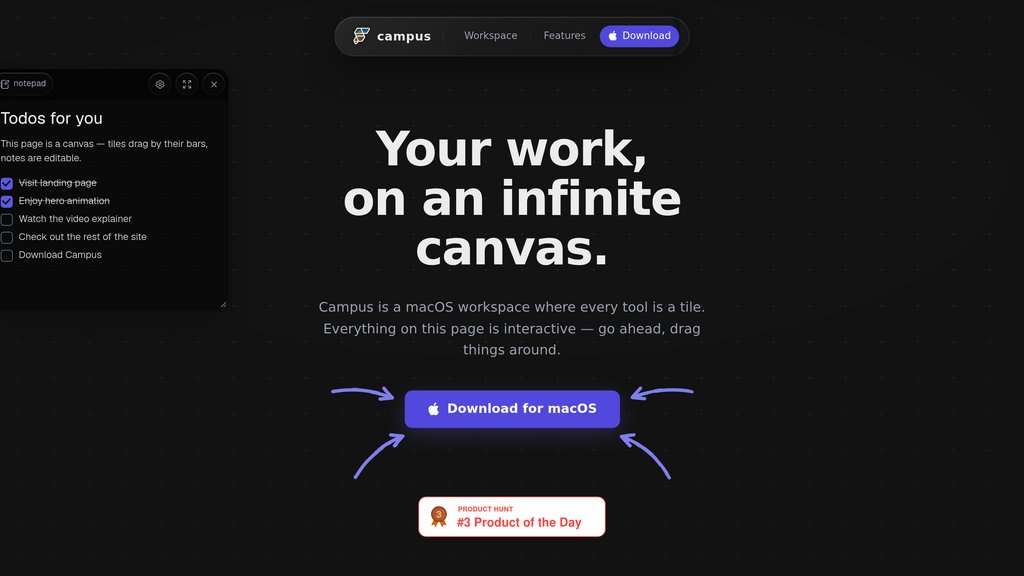
Campus by FlutterFlow reimagines the developer workspace as a spatial canvas rather than a stack of tabs. Terminals, files, diffs, agents, and teammates are laid out visually in space, giving everyone shared memory and context across the entire development flow. Built for macOS, it turns fragmented coding sessions into a single collaborative environment where planning, coding, debugging, and teamwork happen side by side.
Key Features
Spatial Canvas Layout
An infinite canvas arranges terminals, files, diffs, and notes in space instead of stacking them in traditional tabs, making complex projects easier to navigate.
Persistent Terminals
Terminal sessions stay open and repo-aware across the canvas, preserving context so developers never lose their place mid-task.
Shared Agents
AI agents work alongside teammates within the same visual space, contributing to planning, coding, and debugging in real time.
Task Boards and Wikis
Built-in task boards, wikis, and notes keep project documentation and to-dos directly embedded in the workspace.
Git Diffs and Embedded Apps
Code changes, embedded apps, and webviews can be viewed and reviewed inline without leaving the canvas.
Window Streams
Live window streams let teams watch each other's work unfold in real time, supporting tighter collaboration.
Use Cases
- Collaborative App Planning : Teams can map out app architecture and features together with AI agents before writing a single line of code.
- Multi-Agent Development : Developers can run multiple AI coding agents side by side on the same canvas to tackle different parts of a project simultaneously.
- Real-Time Code Review : Teams can review git diffs and repo changes inline, streamlining feedback without switching to a separate tool.
- Distributed Team Coordination : Remote teams can use shared task boards, wikis, and window streams to stay aligned on project status and priorities.
FAQs
Campus Alternatives

agentmash
Team workspace that coordinates coding agents, flags overlapping edits, and shares development activity across teammates.

Cursor
AI-powered code editor built on VS Code that accelerates software development with intelligent code generation, refactoring, and contextual codebase understanding.

Zed
A next-generation, high-performance code editor built in Rust, designed for seamless collaboration with humans and AI.

Hyperbeam
API for embedding multiplayer virtual computers and web browsers in web applications, enabling seamless multi-user collaboration and synchronized access to any third-party website or application.

GitKraken
A powerful Git client and DevEx platform designed to simplify Git workflows with visual tools, AI integration, and team collaboration features.

Continue
Open-source AI code assistant that integrates with popular IDEs to enhance developer productivity through chat, autocomplete, edit, and agent capabilities.

AmpCode
Browser-based coding environment enabling instant programming across multiple languages without local setup.

Augment Code
AI-powered coding assistant that deeply understands entire codebases to help developers write better code faster and make smarter decisions.