
Cursor
AI-powered code editor built on VS Code that accelerates software development with intelligent code generation, refactoring, and contextual codebase understanding.
Community:


Product Overview
What is Cursor?
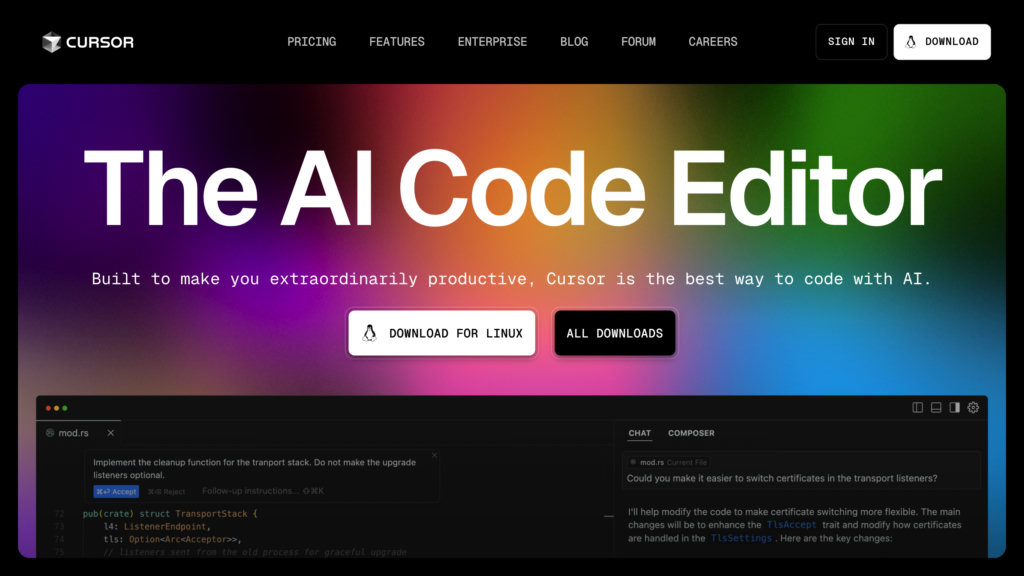
Cursor is an advanced AI-driven integrated development environment (IDE) designed to enhance developer productivity by seamlessly integrating AI capabilities into the coding workflow. Built as a fork of Visual Studio Code, it retains full compatibility with VS Code extensions and settings while adding powerful AI features such as natural language code generation, multi-line smart rewrites, and real-time codebase querying. Cursor enables developers to write, edit, debug, and refactor code faster through predictive autocompletion, chat-based code assistance, and AI-powered collaboration tools, making it ideal for teams and individual programmers aiming to build software more efficiently.
Key Features
AI-Powered Code Generation
Write or update entire classes and functions using simple natural language prompts, streamlining complex coding tasks.
Intelligent Autocompletion and Smart Rewrites
Predicts next edits and suggests multi-line code improvements, enabling rapid development and efficient refactoring.
Contextual Codebase Understanding
Query your entire codebase in natural language to get relevant answers, references, and documentation instantly.
VS Code Extension Compatibility
Supports all VS Code extensions, themes, and keybindings, ensuring a familiar and customizable development environment.
Integrated AI Chat Interface
Interact with your codebase through chat modes for asking questions, editing code, and running AI agents to automate tasks.
Collaboration and Productivity Tools
Built-in chat history, team collaboration features, and keyboard shortcuts enhance workflow efficiency for developers and teams.
Use Cases
- Accelerated Software Development : Developers can speed up coding by generating and refactoring code with AI assistance, reducing manual effort.
- Codebase Exploration and Debugging : Use natural language queries to understand complex codebases, find bugs, and get contextual help without leaving the editor.
- Team Collaboration : Facilitates AI-assisted discussions and shared workflows, improving communication and productivity in development teams.
- Multi-Language Support : Supports code generation and editing in any programming language by detecting file types, suitable for diverse projects.
- Enterprise-Scale Development : Handles large codebases and integrates with enterprise security standards, making it suitable for Fortune 1000 companies.
FAQs
Cursor Alternatives

Continue
Open-source AI code assistant that integrates with popular IDEs to enhance developer productivity through chat, autocomplete, edit, and agent capabilities.

AmpCode
Browser-based coding environment enabling instant programming across multiple languages without local setup.

Augment Code
AI-powered coding assistant that deeply understands entire codebases to help developers write better code faster and make smarter decisions.

Reasonix
Terminal-native coding agent built exclusively around DeepSeek's prefix cache to cut long-session token costs to roughly a fifth.

Trellis
All-in-one AI framework enabling Claude Code and Cursor to understand your codebase, enforce development standards, and accelerate feature delivery.

Codebuff
CLI tool that automates coding tasks by deeply understanding your entire codebase to generate precise, context-aware code changes.

GitButler
A modern Git client enabling simultaneous work on multiple branches with virtual branch management and integrated AI-assisted workflows.

Void
Open-source AI code editor based on VS Code, offering powerful AI-assisted coding with full data privacy and flexible model integration.