
Znote
A versatile Markdown-based note-taking app designed for developers to write, run code, automate tasks, and manage interactive documents locally.
Community:

Product Overview
What is Znote?
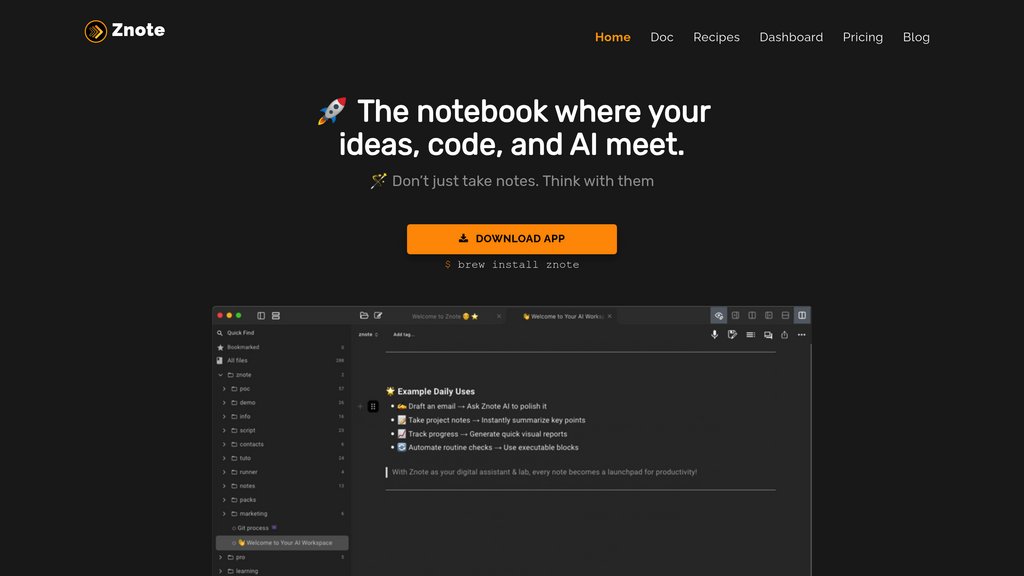
Znote is a powerful note-taking and development tool that combines Markdown editing with executable JavaScript code blocks, enabling users to prototype, automate, and visualize data within a single workspace. It serves as a flexible alternative to Jupyter notebooks for JavaScript developers, allowing seamless integration of code, narrative, and interactive elements. Znote supports local AI assistance, voice capture, and a rich set of developer-friendly features, making it ideal for managing complex workflows, coding projects, and documentation in one private environment.
Key Features
Executable Code Blocks
Run JavaScript, Node.js, and shell scripts directly inside Markdown notes with support for async code and error handling.
Integrated Markdown Editor
Write richly formatted notes using Markdown with dynamic helpers, shortcuts, and a WYSIWYG editor for a smooth writing experience.
Local AI Assistance
Leverage local language models to assist with writing, coding, and automating tasks without relying on cloud services.
Interactive Dashboards and Visualizations
Embed charts, widgets, and dynamic content to explore data visually within notes.
Automation and Workflow Integration
Create scripts and automate repetitive tasks directly from notes, with deployment options to dedicated clusters.
Robust File Management
Organize notes with folders, powerful search, instant file saving, and password protection for privacy.
Use Cases
- Developer Prototyping : Rapidly prototype and test JavaScript code snippets alongside documentation in a single environment.
- Data Exploration and Visualization : Analyze datasets and create interactive visual reports combining code and markdown.
- Task Automation : Automate workflows and deploy scripts to streamline repetitive or complex development tasks.
- Technical Documentation : Maintain well-structured, executable documentation that includes live code examples and outputs.
- Note-taking for Developers : Capture ideas, meeting notes, and code in one secure, searchable, and organized workspace.
FAQs
Znote Alternatives

Quest AI
A developer-focused platform that transforms Figma designs into clean, production-ready React code, enabling rapid frontend development and iteration.

Duino Code Generator
AI-powered online tool that generates Arduino code from natural language prompts using GPT-3.5-turbo.

Blueprint
AI hardware design tool that transforms text prompts into complete wiring diagrams, BOM lists, and assembly guides for Arduino and Raspberry Pi projects.

Zed
A next-generation, high-performance code editor built in Rust, designed for seamless collaboration with humans and AI.

Cursor
AI-powered code editor built on VS Code that accelerates software development with intelligent code generation, refactoring, and contextual codebase understanding.

GreatFrontEnd
Front-end interview prep platform with 500+ practice questions, in-browser coding workspace, and solutions from ex-interviewers.

Continue
Open-source AI code assistant that integrates with popular IDEs to enhance developer productivity through chat, autocomplete, edit, and agent capabilities.

Augment Code
AI-powered coding assistant that deeply understands entire codebases to help developers write better code faster and make smarter decisions.