
Wave Terminal
An open-source, cross-platform terminal that integrates file previews, editing, AI assistance, web browsing, and workspace management to streamline developer workflows.
Community:


Product Overview
What is Wave Terminal?
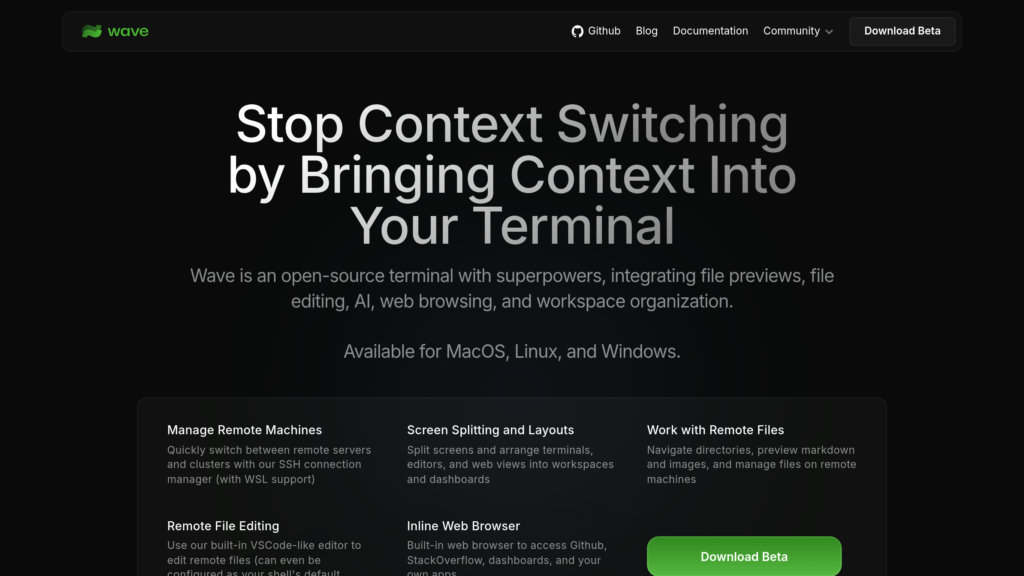
Wave Terminal is a modern, open-source terminal application designed to reduce context switching by embedding graphical capabilities directly into the command line environment. It supports inline rendering of markdown, images, CSVs, and videos, alongside a built-in VSCode-like editor for remote file editing. Wave integrates AI chat with multiple models and features an inline web browser, SSH connection management, and customizable workspaces. Available on MacOS, Linux, and Windows, Wave enhances productivity by consolidating terminal, editor, browser, and AI tools into a single unified interface.
Key Features
Integrated File Previews and Editing
Preview markdown, images, videos, PDFs, CSVs, and directories inline with a built-in editor that supports remote file editing with syntax highlighting.
AI Assistance
Supports multiple AI models (OpenAI, Claude, Azure, Perplexity, Ollama) for chat-based assistance directly within the terminal.
Remote Machine Management
One-click SSH connections with session persistence, remote file navigation, and editing capabilities, including WSL support.
Workspace Organization
Flexible drag-and-drop interface to arrange terminals, editors, web browsers, and AI assistants into customizable dashboards and layouts.
Inline Web Browser
Access GitHub, StackOverflow, dashboards, and web apps without leaving the terminal environment.
Powerful CLI Workspace Management
Advanced `wsh` command system for managing sessions, sharing data between terminal blocks, and automating workflows.
Use Cases
- Developer Productivity : Minimize context switching by combining terminal commands, file previews, editing, AI help, and web browsing in one interface.
- Remote Server Management : Easily connect, monitor, and manage remote servers with persistent SSH sessions and remote file editing.
- AI-Powered Coding Assistance : Leverage integrated AI chat models for code generation, debugging help, and documentation queries without leaving the terminal.
- Data Inspection and Visualization : Preview and interact with CSVs, images, and markdown files inline to quickly analyze data and documentation.
- Custom Workflow Automation : Create and manage complex terminal workflows and dashboards tailored to individual or team needs.
FAQs
Wave Terminal Alternatives

Walrus
A verifiable data platform for developers building in AI and onchain finance, where every byte is provable, programmable, and always available.

ProtoFlow
Desktop PCB design software for drafting circuits, importing real components, and preparing editable designs for downstream EDA tools.

Flower AI
Open-source federated learning framework and hybrid AI platform enabling privacy-preserving, scalable AI across devices and clouds.

MindSpore
An all-scenario, open-source deep learning framework designed for easy development, efficient execution, and unified deployment across cloud, edge, and device environments.

Rescale
Cloud-based high performance computing (HPC) platform for modeling, simulation, and AI, enabling engineers and scientists to accelerate R&D and innovation at scale.

Oso
A comprehensive authorization service that simplifies and centralizes access control for applications and microservices.

Xata.io
A serverless PostgreSQL platform designed for scalable, flexible, and developer-friendly database management with integrated branching and zero-downtime migrations.

Greip
Comprehensive fraud prevention platform offering real-time transaction validation, IP intelligence, and customizable rules to protect businesses from payment and account fraud.