
Tucky
Native macOS edge-docked workspace combining encrypted local notes with an omnipresent reasoning agent.

Product Overview
What is Tucky?
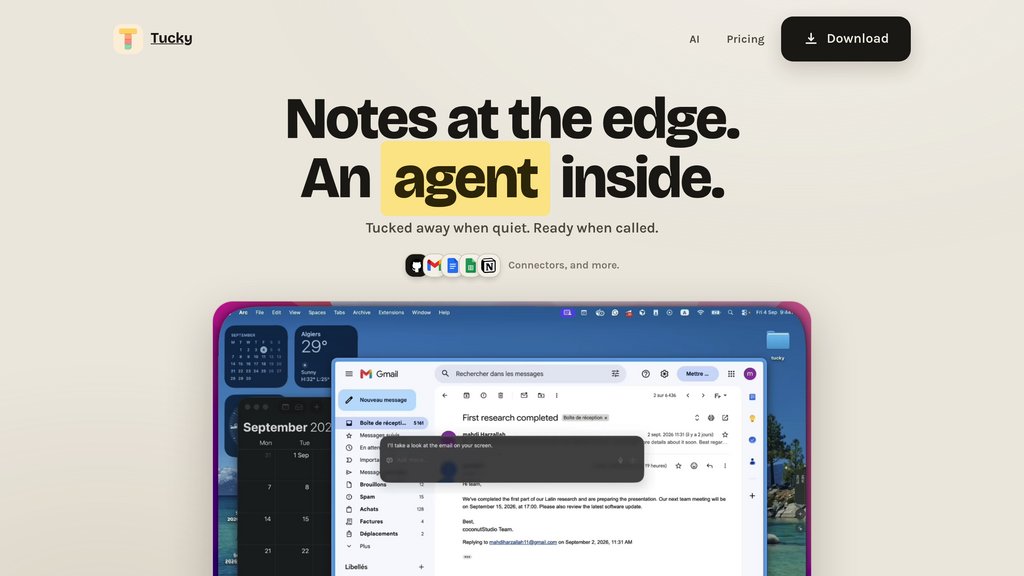
Tucky is a lightweight macOS productivity app designed to rest unobtrusively on the screen edge until summoned. Built around a privacy-conscious local architecture, notes remain encrypted directly on the user's machine. The workspace incorporates an omnipresent assistant accessible via global shortcuts, enabling users to retrieve information, capture thoughts, transcribe multilingual audio, and interact with external services without window clutter or context switching.
Key Features
Edge-Docked Canvas
Sleeps as a subtle stripe along the screen border and expands instantly when reached, keeping notes accessible without taking over desktop space.
Local-First Encryption
Stores files locally on disk with end-to-end encryption, ensuring user data remains strictly on the Mac.
Contextual Assistant
Summoned via global shortcuts (⌥Space or ⌘J) to query, summarize, or edit notes, with body text shared only upon explicit permission.
Workspace Connectors
Directly links external productivity services including Gmail, Google Calendar, Google Docs, Sheets, GitHub, and Notion.
Multilingual Voice Dictation
Converts spoken thoughts into structured text across more than 60 languages directly from the screen edge.
Use Cases
- Zero-Distraction Scratchpad : Engineers and founders can jot code snippets, thoughts, and quick tasks without switching away from their active IDE or browser.
- Cross-App Information Retrieval : Professionals can query upcoming schedule events, unread emails, or Notion documents directly from the edge bar.
- Rapid Content Refinement : Writers can summarize, rewrite, or polish draft notes and documents using built-in reasoning models with a single keystroke.
- Voice-Driven Note Capture : Multilingual users can dictate spontaneous ideas hands-free during meetings or deep-work sessions.
FAQs
Tucky Alternatives

Notebooks
Comprehensive writing and organization app combining note-taking, task management, and document handling with powerful Markdown support and cross-device sync.

Fathom AI Notetaker
AI-powered meeting assistant that records, transcribes, and summarizes online meetings across major platforms with multi-language support and CRM integration.

Read AI
AI-powered meeting assistant that automates transcription, sentiment analysis, action item detection, and personalized coaching across major video conferencing platforms.

Goodnotes 6
Goodnotes 6 is a digital note-taking app that uses AI to enhance writing and learning experiences.

Carepatron
All-in-one practice management software designed for healthcare providers, integrating scheduling, documentation, billing, telehealth, and AI automation.

Craft
A versatile workspace platform for creating, organizing, and collaborating on notes, documents, tasks, and projects with seamless sync across devices.

AFFiNE Pro
Open-source, AI-powered workspace combining notes, whiteboards, and project management for seamless team collaboration and creativity.

Saner.AI
AI-powered productivity assistant designed to help ADHDers and knowledge workers organize notes, tasks, and information seamlessly.