
Side Space
AI-powered vertical tab manager that organizes browser tabs into customizable side panel spaces for efficient multitasking and improved productivity.
Community:

Product Overview
What is Side Space?
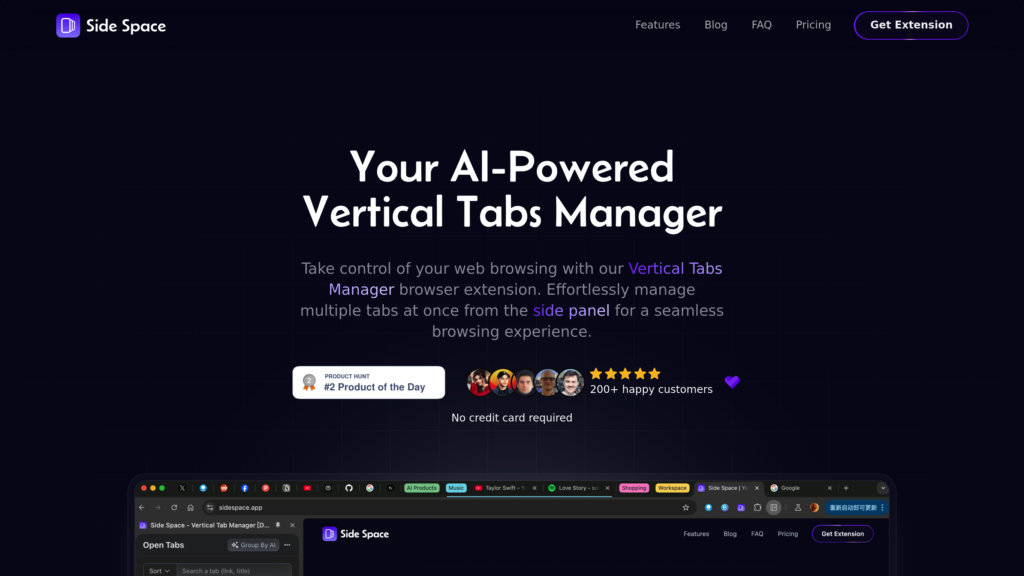
Side Space is a Chrome extension designed to enhance web browsing by relocating tabs from the traditional horizontal layout to a vertical side panel. Leveraging AI, it intelligently groups tabs based on content and user behavior, helping users manage numerous tabs effortlessly. The extension supports saving, restoring, and reordering tabs and tab groups, while offering features like tab suspension to optimize memory usage. Cloud synchronization enables seamless access to organized tabs across devices. Its minimalist design and smart AI-driven organization make Side Space ideal for users who juggle multiple projects or research tasks simultaneously.
Key Features
AI-Powered Tab Grouping
Automatically organizes tabs into logical groups based on content and usage patterns to reduce clutter and improve navigation.
Vertical Tabs Panel
Displays tabs vertically in a side panel, maximizing screen space and enhancing tab visibility.
Tab Suspension
Suspends inactive tabs to save memory and boost browser performance.
Cloud Sync and Backup
Syncs tabs and spaces across devices with cloud support and allows session backups via JSON files.
Customizable Spaces
Users can create and manage multiple spaces tailored to different projects or interests.
Fuzzy Search
Quickly locate tabs through an intelligent search feature that handles approximate matches.
Use Cases
- Professional Multitasking : Manage multiple work projects by grouping related tabs, improving focus and productivity.
- Academic Research : Organize research materials and references into distinct spaces for easier access and study.
- Casual Browsing : Separate personal and leisure tabs from work-related ones to maintain browsing order.
- Memory Optimization : Use tab suspension to reduce browser resource consumption during heavy multitasking.
FAQs
Side Space Alternatives

Sparkle
AI-powered tool that automatically organizes files into a personalized, smart folder system for both local and cloud storage.

iMyFone
Comprehensive software suite offering data recovery, device unlocking, system repair, and data management tools for iOS, Android, Windows, and Mac devices.

Arc Browser
A Chromium-based browser designed for a calmer and more personalized internet experience, focusing on privacy and organization.

mymind
AI-powered personal knowledge management tool that saves and organizes notes, images, bookmarks, and more without manual categorization.

Twillot
AI-powered Twitter/X bookmark manager that organizes, searches, and preserves your Twitter content with enhanced privacy and export capabilities.

Fabric
An AI-native universal workspace and smart organizer that consolidates all your digital content into one intelligent, searchable, and collaborative platform.

SaneBox
AI-powered email management tool that intelligently organizes your inbox by filtering unimportant emails and prioritizing critical messages.

Salvy
A fully digital mobile virtual network operator (MVNO) in Brazil offering centralized telecom and IT asset management for businesses.