
Orca
A free, open-source Agent Development Environment (ADE) that lets developers run multiple coding agents in parallel across isolated git worktrees.
Community:


Product Overview
What is Orca?
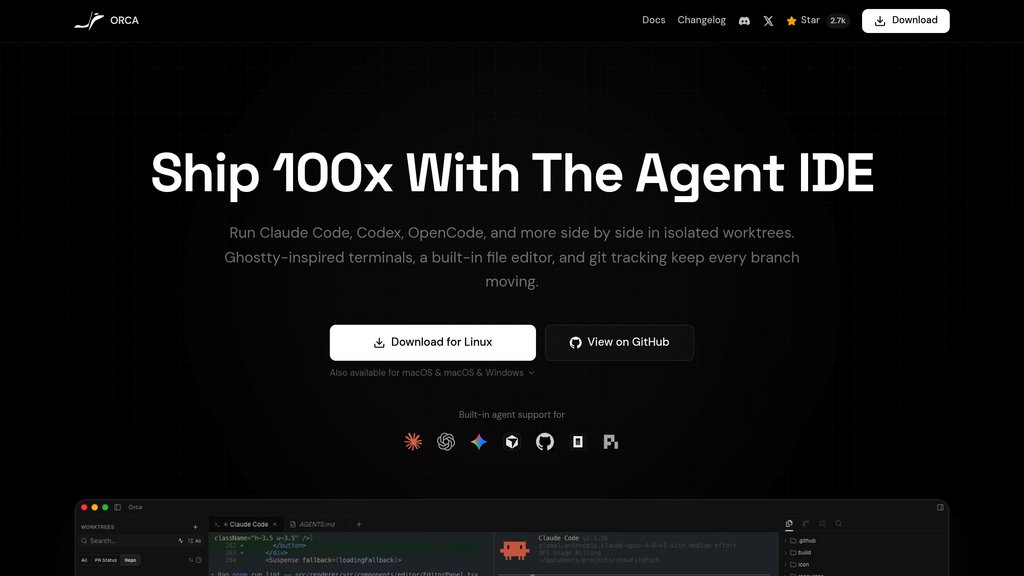
Orca is a desktop IDE purpose-built for developers who work with coding agents like Claude Code, Codex, Cursor CLI, Gemini, and OpenCode. Unlike traditional IDEs adapted for AI, Orca is built from the ground up around the concept of parallel agent workflows — each task runs in its own isolated git worktree with its own terminal, browser tab, and context. It is free, open source (MIT License), and runs natively on macOS, Windows, and Linux, with a mobile companion app for remote monitoring.
Key Features
Parallel Worktrees
Each task runs in a fully isolated git worktree, allowing multiple agents to tackle the same problem simultaneously — compare results and merge the winner without any branch juggling.
Multi-Agent Support
Claude Code, Codex, Cursor CLI, Gemini, Copilot, OpenCode, and more come preconfigured. Any other CLI-based agent can be dropped in without setup friction.
Built-in Chromium Browser
A real Chromium window runs per worktree, enabling agents to interact with live UI — click any element to send its HTML, CSS, and screenshot directly into the agent prompt.
Remote SSH Agent Execution
Run agents on remote machines with full file editing, git access, and terminals. Supports auto-reconnect, port forwarding, and passphrase caching.
Integrated Diff Review & PR Workflow
Drop inline markdown comments on any diff line, batch and send them back to the agent. Browse PRs, resolve conflicts, and open pull requests without leaving the app.
Mobile Companion App
Pair with an iOS or Android app to monitor live agent status, check usage, and keep terminal work moving when away from the desktop.
Use Cases
- Parallel Bug Fixing : Run three agents against the same bug simultaneously in separate worktrees, then pick and merge the solution that works best.
- AI-Assisted Code Review : Review AI-generated diffs seriously before shipping — annotate, batch comments, and send feedback back to the agent in one flow.
- Multi-Agent Orchestration : Developers already paying for Claude Code, Codex, or Cursor CLI can use Orca as a single command center to orchestrate all agents without context switching.
- Remote Development : Connect to a powerful remote box over SSH and run agents there while maintaining full IDE capabilities locally.
- Browser Automation Testing : Agents can directly control the built-in browser to test UI interactions, capture screenshots, and feed live page context back into the coding workflow.
FAQs
Orca Alternatives

Continue
Open-source AI code assistant that integrates with popular IDEs to enhance developer productivity through chat, autocomplete, edit, and agent capabilities.

AmpCode
Browser-based coding environment enabling instant programming across multiple languages without local setup.

Augment Code
AI-powered coding assistant that deeply understands entire codebases to help developers write better code faster and make smarter decisions.

Reasonix
Terminal-native coding agent built exclusively around DeepSeek's prefix cache to cut long-session token costs to roughly a fifth.

Trellis
All-in-one AI framework enabling Claude Code and Cursor to understand your codebase, enforce development standards, and accelerate feature delivery.

Codebuff
CLI tool that automates coding tasks by deeply understanding your entire codebase to generate precise, context-aware code changes.

GitButler
A modern Git client enabling simultaneous work on multiple branches with virtual branch management and integrated AI-assisted workflows.

Void
Open-source AI code editor based on VS Code, offering powerful AI-assisted coding with full data privacy and flexible model integration.