
Jam
One-click bug reporting tool that auto-captures all technical data developers need to debug faster with instant replay and seamless integrations.
Community:


Product Overview
What is Jam?
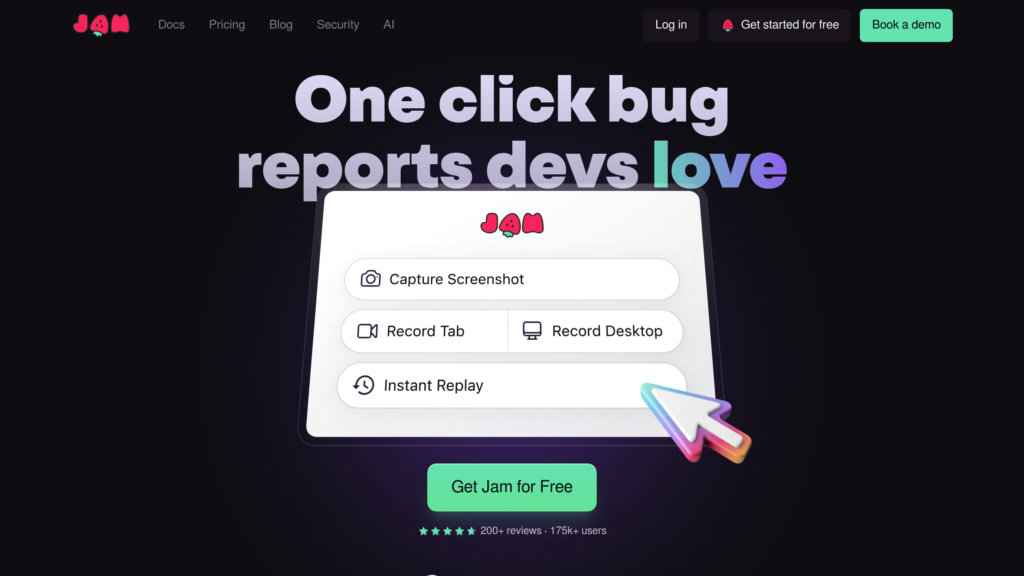
Jam is a browser extension designed to simplify and accelerate the bug reporting and debugging process. It automatically records screen activity, console logs, network requests, device metadata, and more, creating comprehensive developer-ready bug reports with a single click. Jam eliminates the need for manual repro steps and guesswork by providing instant replay of bugs and AI-assisted report generation. It integrates smoothly with popular issue trackers and collaboration tools, helping teams reduce bug resolution time by up to 70%.
Key Features
Automatic Data Capture
Captures screenshots, video replays, console logs, network requests, device info, and environment metadata automatically for precise bug context.
Instant Replay
Allows developers to watch a step-by-step replay of the bug occurrence, enabling faster and more accurate reproduction.
AI-Powered Bug Reporting
Uses AI to auto-generate bug titles, detailed descriptions, and exact reproduction steps, reducing manual effort by 95%.
Seamless Integrations
Connects with tools like Jira, Linear, GitHub, Slack, Asana, and Notion to create tickets and share bug reports directly from Jam.
Enterprise-Grade Security
Filters sensitive information client-side before data leaves the device, ensuring privacy and compliance with SOC II Type 2 standards.
Flexible Pricing Plans
Offers a free plan with unlimited bug reports and paid plans with advanced features like AI assistance, integrations, and team collaboration.
Use Cases
- Software Development : Developers receive complete bug reports with all necessary diagnostics to reproduce and fix issues faster.
- Quality Assurance : QA teams can report bugs easily with one click, capturing all technical details without needing developer intervention.
- Customer Support : Support teams can collect detailed bug reports from users without requiring technical knowledge, speeding up resolution.
- Product Management : Product teams track and prioritize bugs efficiently by integrating Jam with project management tools.
- Cross-Functional Collaboration : Bridges communication gaps between testers, developers, and stakeholders with clear, reproducible bug reports.
FAQs
Jam Alternatives

BetterBugs
A Chrome extension that streamlines bug reporting by creating detailed, visual reports enriched with technical data and AI-assisted debugging.

TestMu AI
Full-stack agentic quality engineering platform that autonomously plans, authors, executes, and analyzes tests across web, mobile, and AI applications.

Katalon
All-in-one AI-augmented test automation platform supporting web, mobile, API, and desktop testing with rich integrations and scalable execution.

BrowserStack
Cloud-based platform providing instant access to thousands of real browsers and devices for comprehensive web and mobile app testing.

Applitools
AI-powered visual testing platform enabling automated, accurate, and scalable validation of web and mobile applications across browsers and devices.

Bugster
AI-powered testing agent that transforms real user flows into automated, adaptive tests, streamlining quality assurance for fast-moving development teams.

TestSprite
An AI-powered autonomous testing agent that automates end-to-end software testing for frontend and backend with minimal human intervention.

Confident AI
Comprehensive cloud platform for evaluating, benchmarking, and safeguarding LLM applications with customizable metrics and collaborative workflows.