FF Designer
A standalone AI design tool by FlutterFlow that generates production-quality app screens from natural language prompts, with full visual editing and direct FlutterFlow integration.


Product Overview
What is FF Designer?
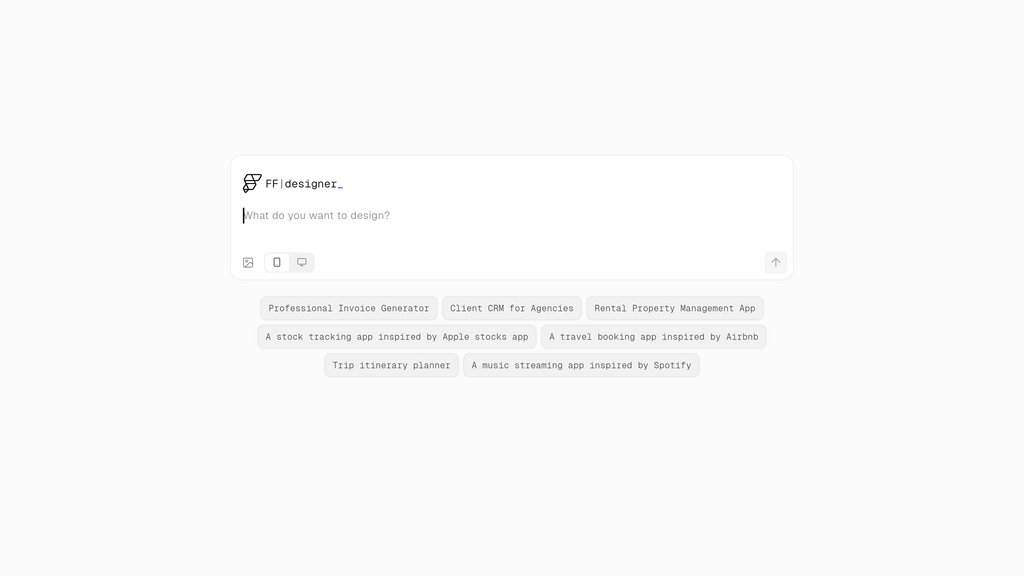
FF Designer is a free AI design tool built by the FlutterFlow team, available at designer.flutterflow.io. It lets anyone generate high-fidelity, editable app screens in seconds using simple text prompts, drawing on learnings from FlutterFlow's acquisition of Dreamflow. Designed as a standalone tool that complements the core FlutterFlow platform, FF Designer bridges the gap between ideation and production — users can prototype screens freely, fine-tune them in a visual editor, then seamlessly transfer them into FlutterFlow projects via direct copy-paste or export. It also supports exporting screen context and screenshots for use in external AI coding environments.
Key Features
Prompt-to-Screen Generation
Generate complete, production-quality app screens in seconds from natural language text prompts, with support for iterative refinement through follow-up prompts.
Visual Editing Control
Every generated element is fully editable — adjust colors, typography, spacing, and component properties directly on the canvas without touching code.
Real-Time Theme Customization
Modify global theme settings including color palettes, fonts, and spacing, with all changes reflected instantly across the design canvas.
Direct FlutterFlow Integration
Copy and paste screens or widgets directly into FlutterFlow projects, or use the Export to FlutterFlow button to move seamlessly from design to development.
AI Context Export
Export screen screenshots along with structured design context to use in external AI coding tools such as GitHub Copilot, Claude Code, or other AI-assisted development environments.
Use Cases
- Rapid App Prototyping : Solo founders and product teams can move from idea to a visual prototype in minutes, dramatically reducing the time spent on early-stage UI planning.
- FlutterFlow Project Kickstarting : FlutterFlow developers can use FF Designer to pre-build and iterate on screens before importing them directly into their projects, avoiding blank-canvas bottlenecks.
- MVP Development : Startups and indie developers can quickly generate and polish core app screens to validate ideas or present to stakeholders without a dedicated design team.
- Design Handoff for AI Coding : Designers and developers can export screen context and visuals from FF Designer into AI coding assistants to accelerate front-end implementation.
- UI/UX Design Exploration : Designers can rapidly explore multiple layout directions and visual styles through prompts, treating FF Designer as an interactive mood-board and iteration tool.
FAQs
FF Designer Alternatives

Components AI
An open-source platform offering parametric and generative design tools for creating responsive UI and graphic components without coding.

InVision
Comprehensive digital product design platform enabling seamless collaboration, prototyping, and animation across teams.

fn7
AI-powered platform enabling founders to rapidly transform startup ideas into investor-ready, clickable UI/UX prototypes and MVPs without design skills.

PRDKit
AI-powered platform for generating product requirements, user flows, and launch-ready content, streamlining product documentation and team alignment.

Opacity
Canvas-based development platform that unifies design, versioning, and reusable code components.

Wonder
A design tool that generates UI, graphics, and code simultaneously on one canvas — what you design is exactly what ships.

OpenUI
An open standard framework for Generative UI that enables LLMs to dynamically compose and stream interactive React interfaces instead of plain text.

FlowMapp
Visual UX planning platform for creating sitemaps, user flows, wireframes, and project proposals with AI-powered tools and collaboration features.