
Clipchamp
User-friendly online video editor offering powerful editing tools, stock assets, and seamless Microsoft ecosystem integration.
Community:


Product Overview
What is Clipchamp?
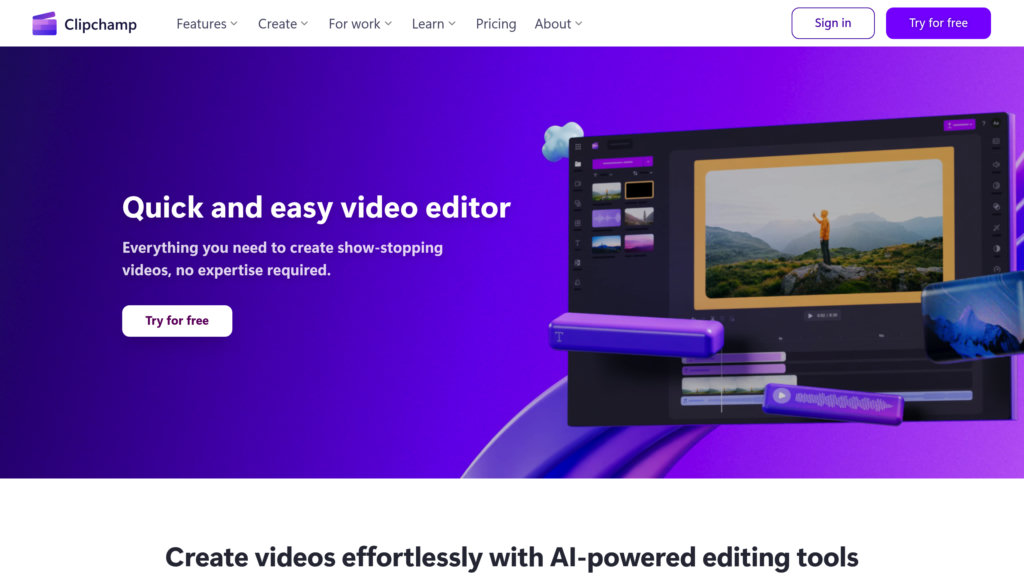
Clipchamp is a versatile online video editing platform designed to simplify video creation for users of all skill levels. It enables combining video clips, images, and audio with a variety of visual effects such as text overlays, transitions, and filters. Integrated with Microsoft services, Clipchamp supports importing media from OneDrive, Xbox, Google Drive, and Dropbox, and exporting videos directly to popular platforms like YouTube and TikTok. The platform offers both personal and enterprise versions, catering to individual creators as well as teams and educational institutions.
Key Features
Intuitive Editing Interface
Beginner-friendly timeline and toolbar with drag-and-drop functionality, property panel for detailed adjustments, and a floating toolbar for quick access.
Extensive Stock Library
Access to thousands of royalty-free stock videos, images, music tracks, sound effects, stickers, and overlays to enhance video projects.
Advanced Visual Effects
Wide range of text overlay styles with animation, customizable fonts, and over 20 transition effects including special effects like Glitch and Pixelate.
Microsoft Ecosystem Integration
Seamless connection with Microsoft 365 apps such as OneDrive, SharePoint, Stream, Teams, and Xbox for easy media import and export.
Local Video Processing
Processes videos locally on the user’s device for faster editing and enhanced privacy without uploading files to external servers.
Flexible Export Options
Supports exporting videos in multiple resolutions including 480p, 720p, 1080p, and 4K to suit various needs.
Use Cases
- Personal Video Projects : Ideal for individuals creating social media videos, vlogs, and personal presentations with easy-to-use tools and templates.
- Business and Marketing : Businesses can produce promotional videos, advertisements, and branded content using the Brand Kit and professional editing features.
- Education and Training : Educators and students can create instructional videos, presentations, and multimedia projects integrated with Microsoft education tools.
- Gaming Content Creation : Gamers can directly import Xbox clips and enhance them with themed stock assets and effects for sharing on streaming platforms.
FAQs
Clipchamp Alternatives

Clideo
Browser-based online video editor offering a comprehensive suite of tools for video creation, editing, and media conversion with accessible features for users of all skill levels.

Videoleap
AI-powered, user-friendly video editor offering advanced tools, premade templates, and creative effects for seamless video creation.

Instories
All-in-one design and content creation platform enabling creators to generate, edit, and share professional visuals across photos, videos, and graphics.

Sludge AI
AI-powered content curation tool that enables fast, algorithm-friendly reposting and repurposing of viral videos for theme accounts, e-commerce, and affiliate marketing.

Lens
Prompt-based video editing agent that transforms natural language commands into professional video edits without traditional timelines.

Artlist
Comprehensive platform offering unlimited royalty-free music, sound effects, footage, AI voiceovers, and video tools for creators.

Insta360
Leading brand specializing in 360-degree and action cameras with advanced AI-powered editing and immersive content creation.

Unwatermark AI
Online tool for removing watermarks, logos, and unwanted elements from images and videos with automatic detection and manual editing capabilities.