
WPVibe
Connect AI assistants to WordPress to manage content, customize themes, and maintain multiple sites through conversation.
Community:


Product Overview
What is WPVibe?
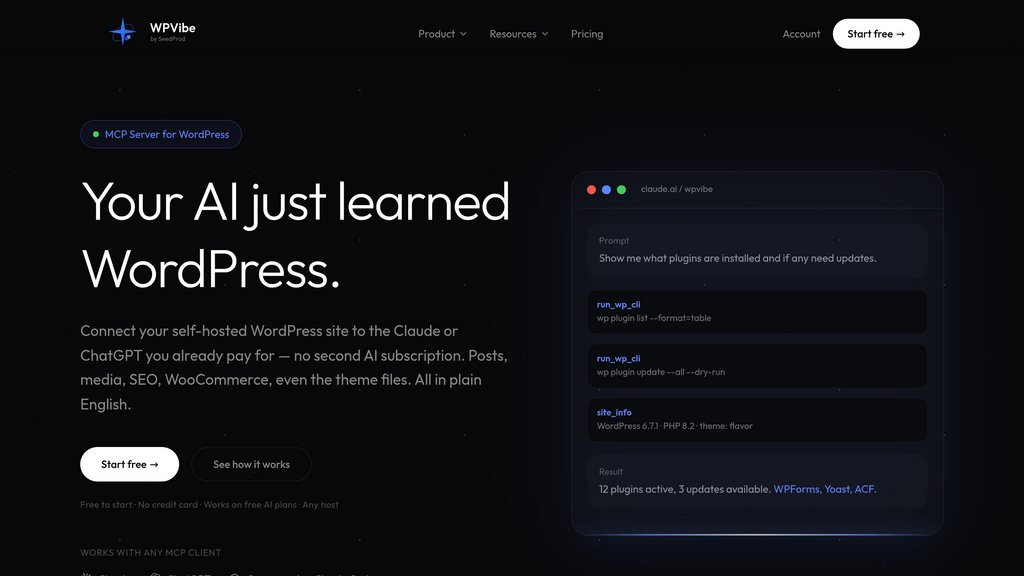
WPVibe is a WordPress MCP server that connects assistants such as Claude, ChatGPT, and Cursor to self-hosted WordPress sites. It lets users make changes directly through conversation rather than copy instructions into the dashboard. Its tools cover publishing, media, themes, plugins, and site diagnostics, with role-based permissions, draft previews, and approval gates for sensitive operations.
Key Features
AI Client Integration
Connect Claude, ChatGPT, Cursor, and other MCP-compatible clients through a hosted server without running local infrastructure.
Content and Media Management
Create and edit posts, pages, taxonomies, and media through the WordPress REST API, with stock photo search and image uploads.
Theme and Builder Editing
Build classic themes in isolated drafts and edit pages in supported builders, including Gutenberg, Elementor, Divi, and Bricks.
Site Administration Tools
Access over 125 WP-CLI commands for plugin management, settings, diagnostics, and database inspection without SSH or a WP-CLI installation.
Multi-Site Workflows
Connect unlimited sites, coordinate plugin and theme updates, and save site-specific conventions as reusable skills.
Controlled Site Access
Apply WordPress permissions, encrypted credentials, draft-first workflows, dry-run previews, and approval gates with sensitive-action logging.
Use Cases
- Editorial Publishing : Prepare articles, upload featured images, and organize WordPress content from an assistant conversation.
- Website Design : Create landing pages, revise builder layouts, and preview theme changes before publishing.
- Agency Maintenance : Manage updates and inspect site health across multiple client websites from one account.
- Store and SEO Management : Work with WooCommerce data and supported SEO plugins through their APIs and available capabilities.
- Developer Troubleshooting : Inspect site configuration, query data, and manage code snippets without repeatedly switching between chat and WordPress.
FAQs
WPVibe Alternatives

Webflow
A powerful no-code visual website builder that enables users to design, build, and launch fully responsive, custom websites without writing code.

DigitalOcean
Developer-friendly cloud platform offering simple, scalable virtual machines, managed Kubernetes, databases, and AI compute.

Tilda
No-code website builder that lets you create stunning websites, landing pages, online stores, and blogs using a block-based visual editor.

MotionSites
A premium library of hero section prompts and animated templates that lets anyone build stunning, professional websites in minutes — no design skills required.

Relume
Website design platform for generating sitemaps, wireframes, style guides, and reusable components from a project brief.

Mobirise
User-friendly AI-powered website builder offering drag-and-drop design, customizable blocks, and responsive templates for effortless site creation.

B12
AI-powered website builder that rapidly creates professional websites with integrated client engagement tools, payments, scheduling, and marketing features.

10Web
AI-powered platform for fast, customizable WordPress website building, hosting, and management with advanced automation and optimization features.