
UPDF
AI-powered, cross-platform PDF editor offering comprehensive tools for editing, annotating, converting, organizing, and AI-assisted PDF interaction.
Community:


Product Overview
What is UPDF?
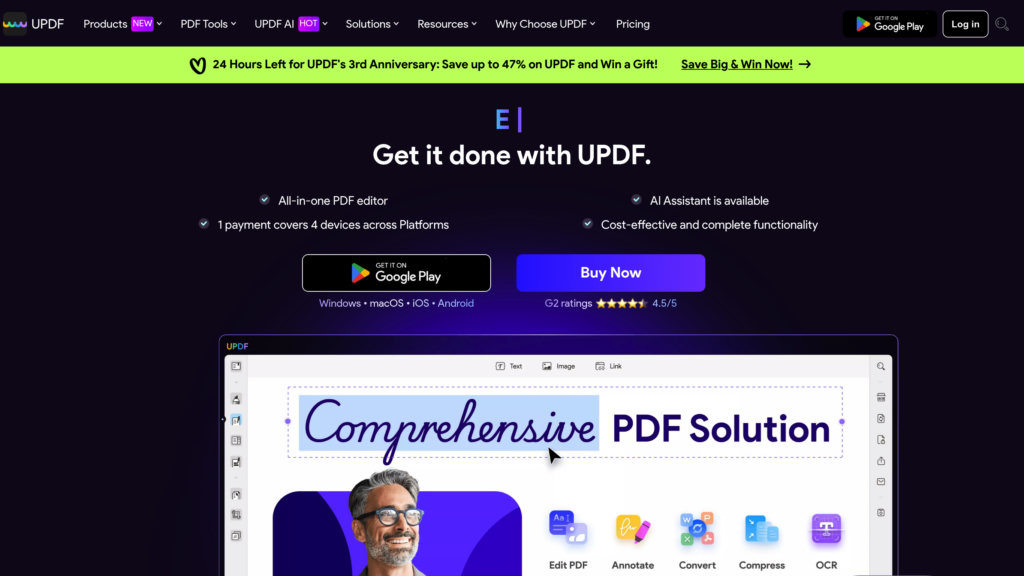
UPDF is a versatile PDF software designed for Windows, macOS, iOS, and Android that integrates advanced AI capabilities to enhance PDF management. It enables users to effortlessly view, edit text and images, annotate, convert, create, protect, and organize PDF documents. Its AI assistant powered by GPT-4o supports summarizing, translating, explaining PDFs, chatting with documents and images, and converting PDFs into mind maps. UPDF caters to business professionals, students, and general users seeking a powerful yet intuitive PDF solution with multi-device accessibility and robust security.
Key Features
Comprehensive PDF Editing
Edit text, images, links, backgrounds, headers, and footers directly within PDFs with full control over formatting and layout.
AI-Powered PDF Interaction
Leverage AI to summarize, translate, explain content, chat with PDFs and images, and convert documents into mind maps for better comprehension.
Advanced Annotation and Form Tools
Add comments, sticky notes, highlights, and digital or handwritten signatures; create and fill interactive PDF forms.
Robust Document Management
Organize PDFs with page management tools including reorder, rotate, split, merge, crop, extract, and batch processing.
Multi-Format Conversion
Convert PDFs to and from Word, Excel, PowerPoint, CSV, RTF, TXT, images, HTML, and more, maintaining high output quality.
Cross-Platform Accessibility and Security
Use UPDF on multiple devices with one account; protect documents with encryption, passwords, redaction, and watermarking.
Use Cases
- Business Document Management : Professionals can edit, annotate, sign, and secure contracts, reports, and forms efficiently across devices.
- Academic and Research Work : Students and researchers benefit from AI summarization, translation, and mind map conversion to digest complex PDFs quickly.
- Content Creation and Collaboration : Teams can annotate, comment, and share PDFs with version control and cloud storage for streamlined collaboration.
- Data Extraction and Processing : Use AI-powered OCR and conversion tools to extract data from scanned documents and integrate into editable formats.
- Legal and Compliance Documentation : Secure sensitive documents with encryption and digital signatures while managing large volumes of PDFs with batch operations.
FAQs
UPDF Alternatives

Doclio
All-in-one online PDF editor for editing, converting, signing, organizing, and analyzing documents.

TopPDF
Comprehensive online PDF toolkit offering editing, conversion, compression, translation, and AI-powered text tools to streamline PDF workflows.

Docalysis
AI-powered platform that enables users to upload and interactively query PDF, TXT, CSV, and DOCX documents for instant, accurate answers.

PDF Guru
Comprehensive online PDF solution for editing, converting, merging, compressing, and e-signing PDFs with robust security.

PDFgear
A free, AI-powered all-in-one PDF editor offering advanced editing, conversion, annotation, OCR, and AI chatbot features across multiple platforms.

Tenorshare AI PDF
AI-powered PDF tool for fast summarization, interactive Q&A, and efficient document management.

LightPDF
A versatile cloud-based PDF tool offering comprehensive editing, conversion, and management features.

ChatPDF
AI-powered platform enabling natural language conversations with PDF documents for quick information extraction and summarization.