icon of Kodo

Kodo

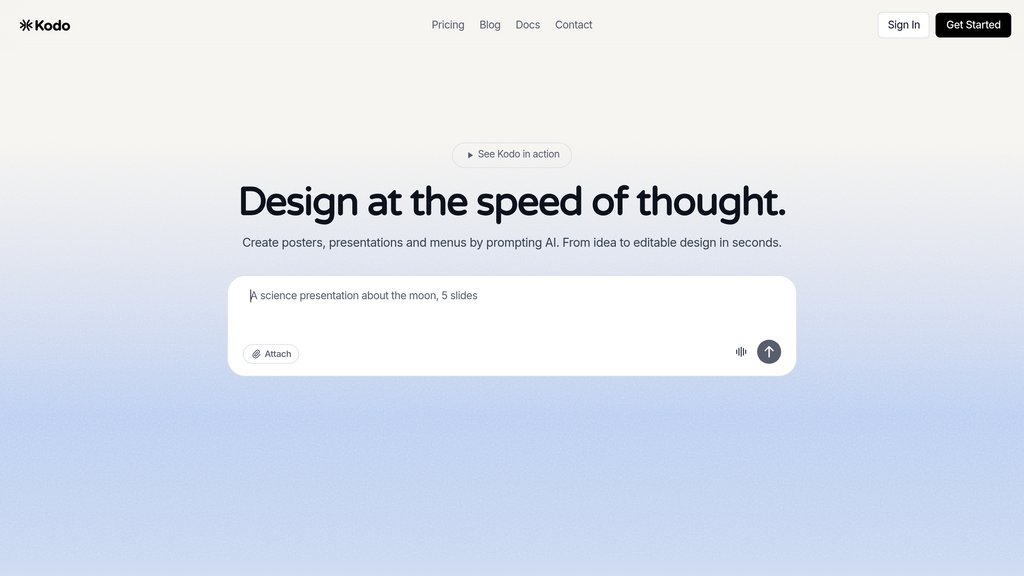
An AI design tool that generates fully editable, layered designs from text prompts — covering posters, presentations, menus, and social graphics.

Community:

image for Kodo

Product Overview

What is Kodo?

Kodo is a design platform that lets anyone create professional, structured designs simply by describing what they want. Unlike tools that output flat, uneditable images, Kodo generates fully layered designs where every element — text, colors, layouts, and spacing — can be refined using built-in professional vector editing tools. It combines the speed of prompt-based generation with real-time collaboration, cloud auto-save, and flexible export options, making it a practical alternative to Canva and Figma for individuals and teams alike.


Key Features

  • Text-to-Design Generation

    Describe your design in plain language and Kodo instantly produces a complete, polished layout — no templates or prior design experience required.

  • Fully Editable Layered Output

    Every generated design is structured with editable layers, letting you adjust text, colors, shapes, typography, and spacing with professional vector tools.

  • AI-Powered Image Editing

    Built-in tools like Background Removal and Magic Eraser let users clean up and enhance images directly within the platform using a single click.

  • Real-Time Collaboration

    Teams can work on the same canvas simultaneously, with live cursor visibility and instant syncing across all collaborators.

  • Multi-Format Export

    Export finished designs to PNG, JPG, SVG, PDF, or PPTX, and import existing PowerPoint files directly into Kodo for further editing.

  • Credit-Based Subscription Plans

    Three tiers — Free ($0/mo, 40 credits), Starter ($9/mo, 170 credits), and Pro ($29/mo, 600 credits) — with manual tools always free and credits reserved for AI features.


Use Cases

  • Marketing Collateral : Marketers can quickly produce posters, social media graphics, and promotional materials by prompting the AI with campaign details.
  • Presentations & Slides : Business professionals and educators can generate polished slide decks from scratch or import existing PowerPoint files and refine them in Kodo.
  • Restaurant & Retail Menus : Small business owners can create print-ready menus or product showcases without hiring a designer, simply by describing their needs.
  • Social Media Content : Content creators can produce platform-ready graphics at speed, iterating on designs through conversational prompts rather than manual layout work.
  • Brand Asset Creation : Freelancers and brand teams can use Kodo's vector tools and brand kit to maintain visual consistency across logos, banners, and marketing assets.

FAQs

Analytics of Kodo Website

Kodo Traffic & Rankings
407
Monthly Visits
00:00:22
Avg. Visit Duration
-
Category Rank
0.35%
User Bounce Rate
Traffic Trends: Nov 2025 - Jan 2026
Top Regions of Kodo
  1. 🇮🇳 IN: 65.47%

  2. 🇫🇷 FR: 34.52%

  3. Others: 0%