
Kino
Collaborative video workspace combining agent-assisted editing, searchable footage storage, and timeline-based review.
Community:


Product Overview
What is Kino?
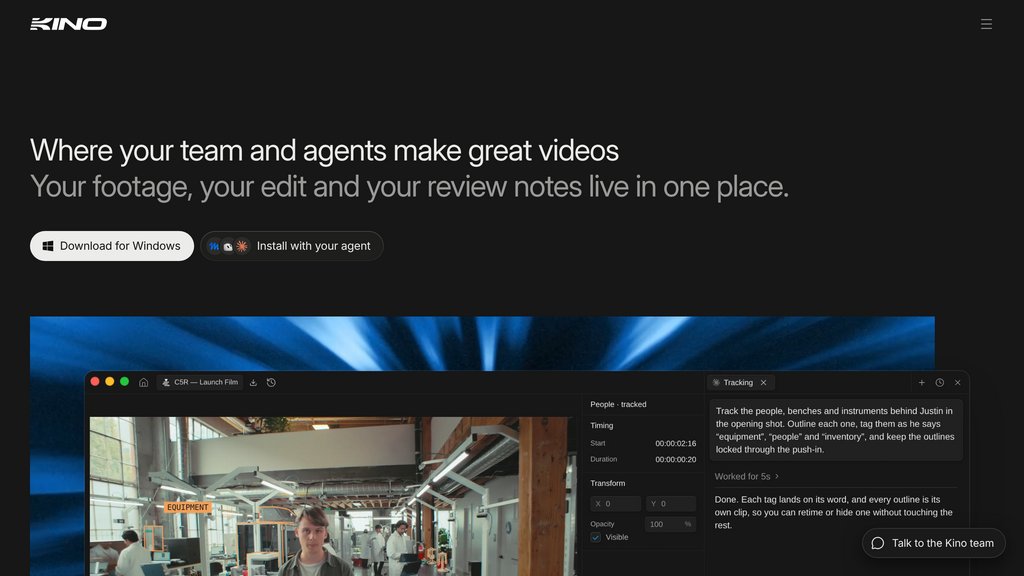
Kino brings footage management, video editing, and team feedback into one workspace. Its agent can assemble cuts, create motion graphics, and adapt videos for different formats while keeping edits accessible on a timeline. Searchable media libraries and shared review links help teams move from raw footage to finished videos without switching between separate tools.
Key Features
Agent-Assisted Editing
Describe the edit you want, let the agent assemble it, and refine individual clips directly on the timeline.
Searchable Media Library
Find footage through transcripts, visual descriptions, and people, or organize clips with metadata filters and automatically updating smart bins.
Motion Graphics and Templates
Create editable animations with Remotion-based tools and over 100 templates for titles, captions, maps, and transitions.
Native Footage Support
Edit camera originals in formats including RED, Blackmagic RAW, ProRes, DNxHR, and MXF without transcoding.
Integrated Video Review
Share browser-based review links and receive comments on the timeline, where editors or agents can address them.
Video Variants
Manage multiple versions and ask the agent to reframe footage, follow speakers, and adjust layouts for different aspect ratios.
Use Cases
- Social Video Production : Turn longer recordings into short-form edits and adapt them for vertical distribution.
- Product Demos and Explainers : Combine footage, titles, and motion graphics to explain products or turn written content into videos.
- Interview Editing : Locate spoken passages through transcripts and use agent-assisted cuts to assemble interview footage.
- Team and Client Review : Collect feedback through shared links and resolve comments directly within the editing workflow.
- Footage Library Management : Organize large media collections and retrieve reusable clips by their content or production metadata.
FAQs
Kino Alternatives

Magnifi
A comprehensive video intelligence platform that automates the creation of real-time highlights and short-form videos for sports, entertainment, and media sectors.

Overlap AI
A comprehensive video marketing platform that automates video clipping, editing, and repurposing with advanced multimodal AI agents.

Imaginario AI
Multimodal video platform enabling deep search, automated editing, and effortless content transformation for creators and media teams.

Videograph.ai
Comprehensive video management platform offering seamless live and on-demand streaming with advanced video editing and analytics tools.

Diffusion Studio
Browser-native video editor with local GPU rendering, integrated AI capabilities, and no uploads or watermarks required.

Clips AI
Open-source Python library that transforms longform, audio-centric videos into concise, shareable clips with dynamic resizing for multiple aspect ratios.

WUI.AI
AI-powered platform that converts long-form videos into engaging, short clips optimized for social media with automated highlights, captions, and translations.

HiClip
Video clipping platform that converts long-form content into platform-optimized short clips with context-aware highlight detection and one-click publishing.