
Gyazo
Instant screenshot and video recording tool that captures and shares visual content with unique shareable links, featuring cloud storage and OCR search capabilities.
Community:


Product Overview
What is Gyazo?
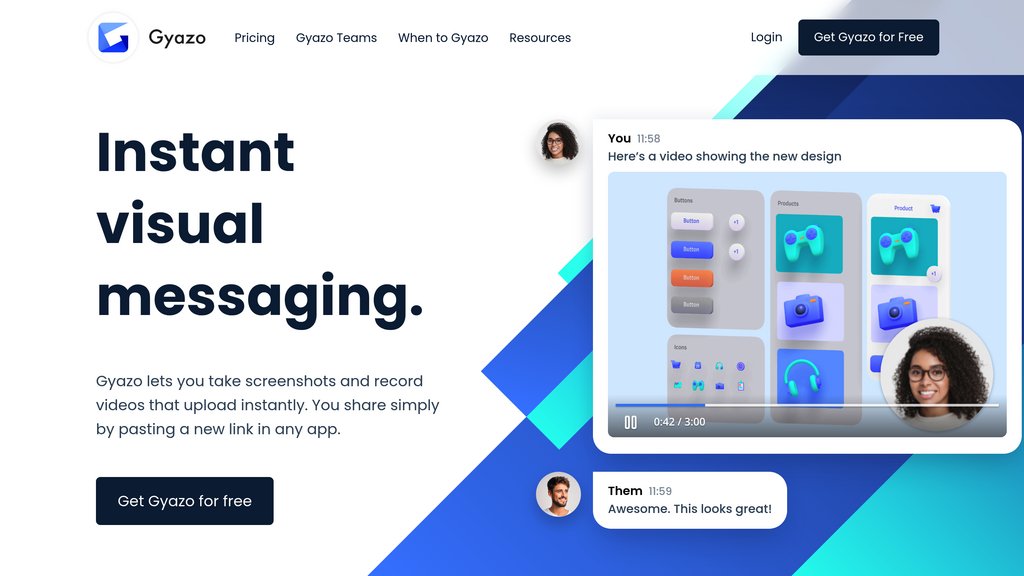
Gyazo is a lightweight screen capture and instant sharing platform designed to streamline visual communication. Users can quickly capture screenshots and record short videos that automatically upload to the cloud with unique, shareable links. The platform eliminates the need for manual file saving and email attachments by allowing instant sharing through simple link pasting. With support across Windows, Mac, iOS, and Android, plus browser extensions for Chrome, Firefox, and Edge, Gyazo integrates seamlessly into daily workflows. The Pro version enhances functionality with extended video recording up to 180 seconds, unlimited content access, OCR-based text extraction and image search, advanced editing tools, and password protection for shared content.
Key Features
Instant Screenshot and Video Capture
Capture screenshots and record videos that automatically upload to the cloud instantly. Free tier allows up to 7-second videos, while Pro supports up to 180-second HD recordings with watermark removal.
Automatic Cloud Storage and Instant Sharing
All captures are stored online with unique URLs generated automatically. Share content by simply pasting links into any app without managing files locally.
OCR Text Extraction and Intelligent Search
Pro users can extract text from images using OCR and search across their entire library by image content, file names, page titles, app names, and dates for quick retrieval.
Web-Based Editing Suite
Edit screenshots and videos directly in the browser with annotation tools, background removal, cropping, rotation, and basic drawing capabilities.
Team Collaboration and Management
Gyazo Teams enables group sharing with custom team subdomains, SSO integration with Google Workspace, easy multi-user management, and team-only access controls.
Multi-Platform Support with Browser Extensions
Available as native applications for Windows, Mac, iOS, and Android, plus lightweight extensions for Chrome, Firefox, and Edge for seamless capture from any browser.
Use Cases
- Remote Team Communication : Teams can quickly share screenshots and videos to clarify instructions, report issues, or provide feedback without lengthy explanations or email threads.
- Technical Documentation and Tutorials : Creators can record step-by-step visual guides and capture interface elements for documentation, training materials, and knowledge base articles.
- Customer Support and Bug Reporting : Support teams and users can instantly share visual evidence of problems, including error messages and system states, accelerating troubleshooting processes.
- Design Feedback and Collaboration : Designers and stakeholders can annotate screenshots to provide visual feedback on design mockups, layouts, and UI changes in real time.
- Content Creation and Social Media : Content creators can quickly capture and edit visual assets for social media posts, blog articles, and marketing materials with minimal setup time.
FAQs
Gyazo Alternatives

Crowdcast
Live streaming and virtual event platform built for creators, educators, and communities to host interactive online events at scale.

Guideflow
Interactive demo automation platform that turns product flows into engaging step-by-step guides and sandboxes, shareable across any channel with built-in analytics and AI-powered personalization.

Memories.ai
Platform enabling comprehensive video understanding through visual memory that allows extensive video analysis, indexing and retrieval beyond traditional AI limits.

Pixellot
AI-driven automated sports video production and analytics platform delivering end-to-end filming, streaming, and data insights.

TRTC (Tencent Real-Time Communication)
A comprehensive platform providing low-latency, high-quality audio/video communication and live streaming solutions for diverse applications.

Canvid
User-friendly screen recording software that enables high-quality capture, enhancement, and sharing of videos with minimal effort.

Fulltrack AI
AI-powered cricket performance analysis app delivering automated ball tracking, detailed analytics, and real-time insights via smartphone.

Dyte
Comprehensive video SDK enabling seamless integration of live video, audio conferencing, and interactive features into applications.