
CutCut
Fast online platform for downloading and precisely editing 4K videos without installation, registration, or watermarks.
Community:

Product Overview
What is CutCut?
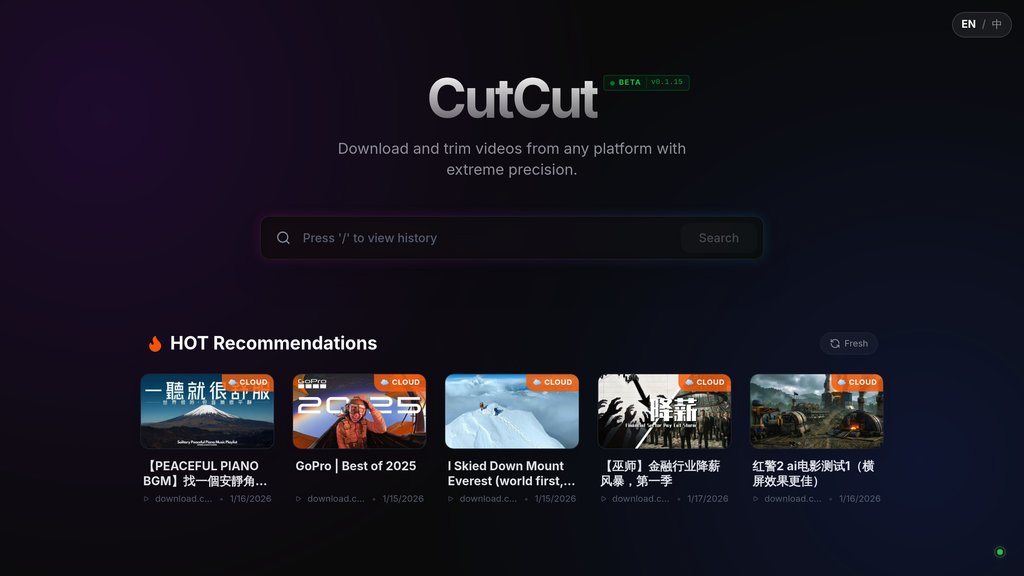
CutCut is a streamlined online video downloader and editor designed for creators who need rapid access to high-quality video segments. The platform enables users to paste video URLs from any source, precisely extract the exact clips they need using intuitive trimming tools, and download segments in pristine 4K/60fps quality—all directly in a web browser without requiring software installation or account creation. By consolidating the download and editing workflow into a single interface, CutCut eliminates the friction of managing multiple tools. Whether extracting highlight clips, creating social media content, or sourcing material for larger projects, users can accomplish from initial idea to finished download in under a minute.
Key Features
Universal Video Downloading
Download videos from YouTube, TikTok, Instagram, and other major platforms directly to your device in up to 4K/60fps quality with no software installation required.
Precision Segment Extraction
Use intuitive frame-accurate trimming controls to select exactly the portion of video you need, cutting out unwanted content before downloading to save storage space and editing time.
High-Quality Preservation
Maintain original video quality throughout the download and editing process with support for 4K resolution, 60fps frame rates, and multiple video formats.
Browser-Based Simplicity
Access the full platform directly through any web browser on desktop or mobile without installing applications, creating accounts, or managing complex settings.
Watermark-Free Downloads
All exported segments are delivered without watermarks, leaving your content clean and ready for immediate use across social platforms or professional projects.
Use Cases
- Social Media Content Creation : Extract trending clips from longer videos to create short-form content for TikTok, Instagram Reels, and YouTube Shorts with precise timing and no quality loss.
- Video Marketing and Promotion : Quickly capture key moments from webinars, product demos, or announcement videos to build highlight clips for promotional campaigns and audience engagement.
- Clip Compilation and Curation : Download specific segments from multiple sources and compile them into cohesive highlight reels, montages, or educational content collections.
- Streaming and Gaming Content : Extract standout moments from live streams or recorded gameplay to create shareable clips without the overhead of processing entire footage files.
- Learning and Educational Content : Capture targeted segments from educational videos, tutorials, and lectures for studying, referencing, or creating derivative educational materials.
FAQs
CutCut Alternatives

Vyra
Agent-first video editor that turns raw footage into polished edits through natural-language commands.

Wisecut AI
AI-powered video editor that automatically transforms long videos into engaging, shareable clips with minimal effort.

Eddie AI
AI-powered video editing assistant designed to streamline the editing process for professionals and beginners alike.

Spikes Studio
AI-powered video editing platform that automatically transforms long-form videos into optimized short clips for social media.

Cardboard
Agentic video editor that takes raw footage to a publish-ready edit in minutes, with an AI director handling the heavy lifting.

Diffusion Studio
Browser-native video editor with local GPU rendering, integrated AI capabilities, and no uploads or watermarks required.

Overlap AI
A comprehensive video marketing platform that automates video clipping, editing, and repurposing with advanced multimodal AI agents.

Magnifi
A comprehensive video intelligence platform that automates the creation of real-time highlights and short-form videos for sports, entertainment, and media sectors.