
Canary Mail
Cross-platform email client combining multiple inboxes, writing assistance, conversation summaries, and secure messaging.
Community:


Product Overview
What is Canary Mail?
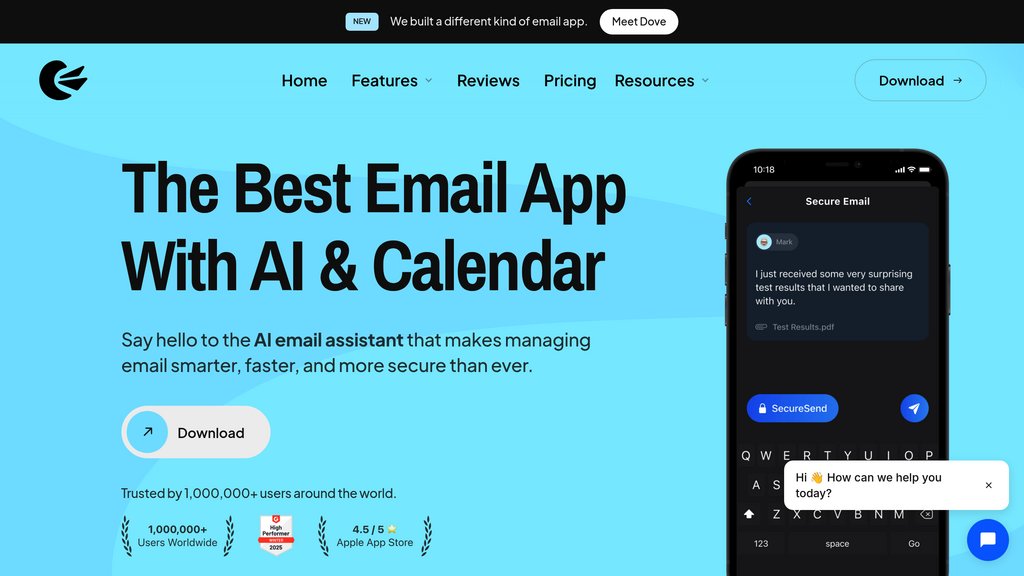
Canary Mail brings existing email accounts into one app for macOS, iOS, Windows, and Android. It combines everyday inbox management with optional AI tools for drafting replies and summarizing conversations. Rather than replacing your email provider, it adds productivity controls and advanced security options, including PGP encryption and SecureSend on its Pro+ plan.
Key Features
Unified Inbox
Manage multiple Gmail, Outlook, iCloud, Exchange, and IMAP accounts without switching between email apps.
Writing and Summarization
Draft replies, adjust message tone, suggest subject lines, and condense lengthy conversations with optional AI assistance.
Inbox Organization
Use snooze, pinned messages, templates, and one-click unsubscribe to reduce clutter and keep important conversations accessible.
Follow-Up and Scheduling
Track email opens with read receipts and use paid scheduling and calendar features to coordinate communication.
Secure Communication
Pro+ adds PGP encryption, SecureSend, phishing protection, and safeguards against impersonation and misdirected messages.
Cross-Platform Access
Access your accounts on desktop and mobile, with one paid license covering up to five supported devices.
Use Cases
- Multi-Account Management : Keep personal, work, and freelance correspondence together while retaining your existing email addresses.
- Client Communication : Draft polished replies, reuse templates, and monitor read receipts when following up with clients.
- Conversation Review : Summarize long project or recruiting threads to catch up quickly before responding or attending meetings.
- Confidential Correspondence : Use Pro+ encryption tools to share sensitive business information with clients and colleagues.
- Daily Inbox Cleanup : Defer nonurgent messages, pin active conversations, and remove unwanted subscriptions to maintain a focused inbox.
FAQs
Canary Mail Alternatives

Spamdrain
AI-powered smart spam filter that blocks junk, phishing, and unwanted emails across all devices and email providers.

Selzy
Comprehensive email marketing platform combining AI-powered email creation, automation, segmentation, and analytics with high deliverability.

Mailercloud
Comprehensive email marketing platform offering AI-powered automation, personalization, and robust analytics for scalable campaigns.

Mailbutler
An advanced email productivity extension that enhances Apple Mail, Gmail, and Outlook with tracking, scheduling, collaboration, and signature marketing features.

Brew
The first email service provider with a built-in email marketing agency, letting teams generate on-brand campaigns and automations from natural language.

Infraforge
Private cold email infrastructure platform offering dedicated IPs, automated DNS setup, and real-time deliverability monitoring.

SendBridge
Email validation and cleaning service designed to improve deliverability and protect sender reputation.

NotionSender
Email integration tool that enables sending and receiving emails directly within Notion, turning your workspace into a centralized communication hub.