
Brik
Prompt-based creative platform for building reusable interactive tools for motion, typography, 2D/3D visuals, and web experiences.
Community:


Product Overview
What is Brik?
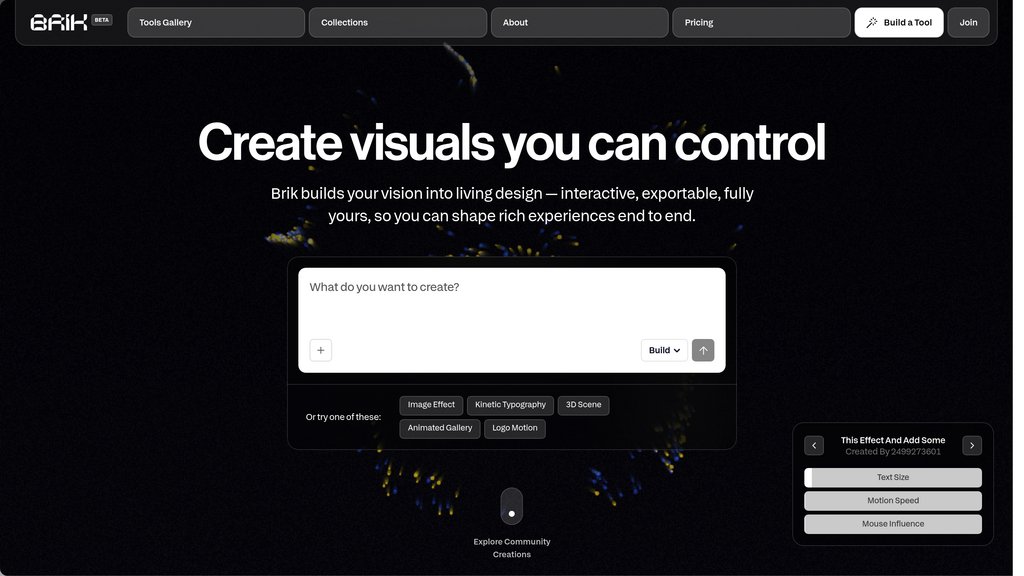
Brik is a creative platform that converts written design directions into interactive visual tools. Users can define how an output should look, move, and respond, then refine it with visual controls instead of code. Rather than generating isolated assets, Brik helps designers create reusable systems for animations, brand graphics, typography, effects, and interactive experiences. Finished work can be remixed, shared, and exported as images, videos, or embed-ready HTML.
Key Features
Prompt-to-Tool Creation
Turn a written creative brief into a functional design tool that generates visuals with defined behaviors, rules, and parameters.
Interactive Visual Controls
Adjust outputs through controls such as sliders, toggles, and inputs without needing to work directly with creative code.
Reusable Design Systems
Create adaptable motion, typography, and visual systems that can be reused across campaigns, formats, and brand applications.
Remixable Tool Gallery
Start from existing community tools, customize their behavior, and develop new versions for specific creative needs.
Motion and WebGL Effects
Build kinetic text, scroll-based effects, 3D visuals, and interactive web experiences that respond in real time.
Production-Ready Export
Export high-resolution images, videos including transparent video, or clean HTML embeds for websites, products, and campaigns.
Use Cases
- Brand Motion Systems : Design teams can create repeatable motion rules, animated logo treatments, and visual effects that stay consistent across brand touchpoints.
- Social Campaign Assets : Marketing teams can generate adaptable animated posts, ads, and launch visuals for multiple platforms from one reusable tool.
- Kinetic Typography : Designers can build expressive text animations with configurable type, color, rhythm, and movement for digital content.
- Interactive Web Prototyping : Product and web designers can quickly explore scroll effects, responsive visuals, and interactive components before implementation.
- Creative Tool Building : Studios can turn recurring visual workflows into custom tools that non-technical teammates can operate and adapt.
- Data and Visual Experiences : Creative teams can develop dynamic data visualizations and immersive visual interfaces for presentations, websites, and installations.
FAQs
Brik Alternatives

QR Code AI
AI-driven platform for creating highly customizable, branded QR codes with advanced design, tracking, and marketing integration.

Blueprint
Browser-based hardware design tool that turns project ideas into parts lists, wiring diagrams, build guides, and 3D renders.

Cavalry
Professional real-time 2D animation and motion design software for Mac and Windows, free for individuals, with procedural and data-driven workflows.

MakeMyReceipt
Free online receipt maker with 150+ templates for creating customizable receipts in PNG, PDF, or JPEG format without signup.

Quilter AI
Automated PCB layout software that accelerates design cycles by generating optimized, fabrication-ready circuit board layouts in hours.

Genpire
Agentic product development platform that takes physical product ideas from prompt or sketch to factory-ready tech packs and manufacturing in one unified workflow.

WowPatterns
Comprehensive platform for seamless pattern creation, offering a marketplace, design tools, and customization for both individuals and businesses.

Off/Script
Community-driven product creation platform transforming user ideas into real products without upfront costs.